

WhatsApp is Beta. Complete end-to-end delivery and handoff tests before high-volume use.
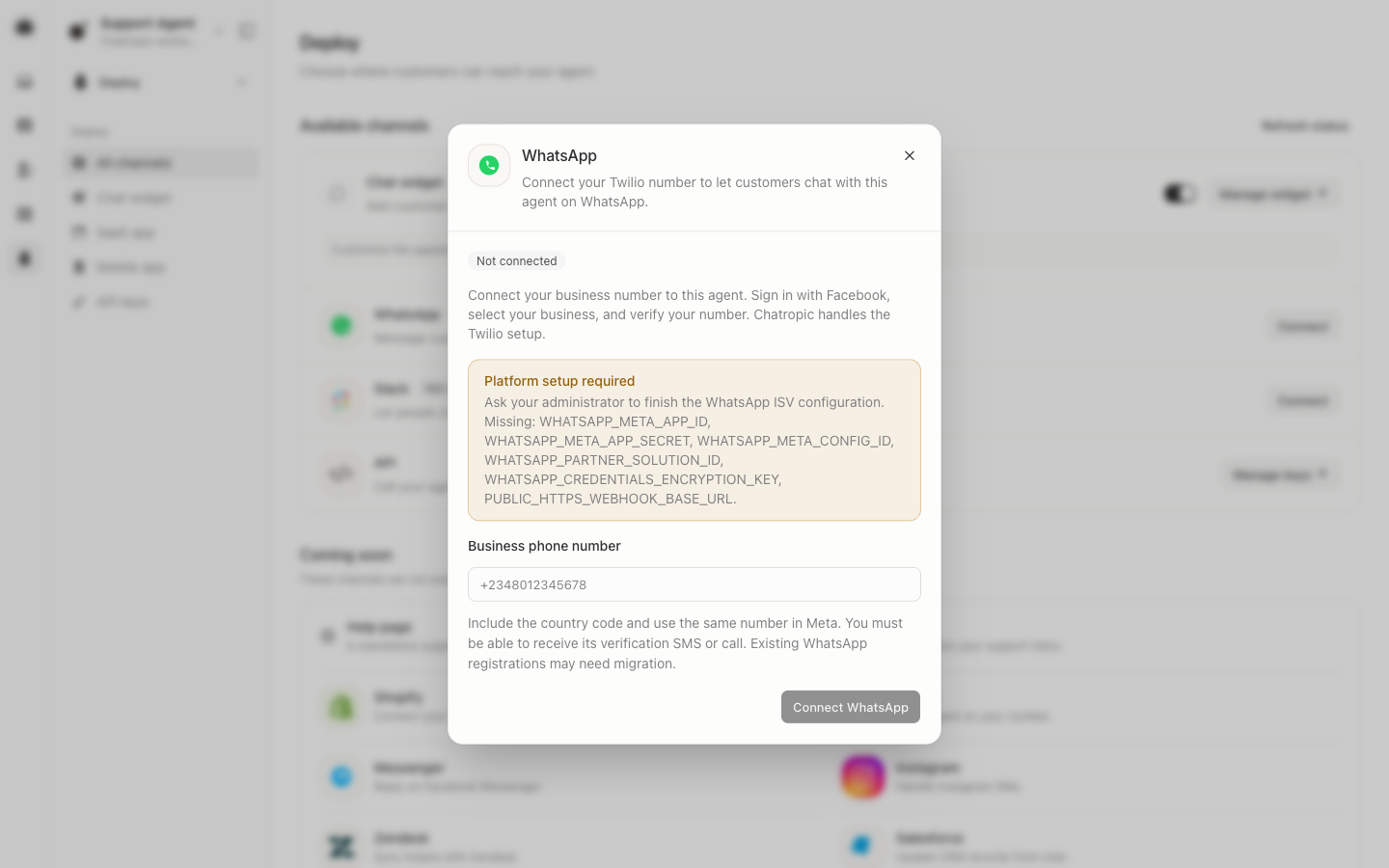
WhatsApp setup with platform configuration still required.
1
Open WhatsApp
Select your agent and open Deploy > WhatsApp.
2
Enter your number
Enter your business number including its country code, then click Connect WhatsApp.
3
Authorize your business
Click Continue with Facebook. Select or create your business portfolio and
WhatsApp Business Account, enter the same number, and complete SMS or call verification.
Reuse the same WhatsApp Business Account for additional agents in this workspace.
4
Wait for registration
Chatropic creates the customer subaccount, registers your sender, and configures
message delivery. Pending registration becomes Connected only after Twilio
confirms readiness. You can close the panel; registration continues in the background.
5
Test your agent
Send a message from another WhatsApp phone and confirm the reply in Conversations.
Use Check status to resume an interrupted registration.
If you see Platform setup required, your Chatropic administrator must configure
Meta Embedded Signup, the Twilio Partner Solution, encrypted credentials, and PostgreSQL.
Customers do not need to enter Twilio API credentials or configure webhooks themselves.