Inspect conversation quality, evidence, and evaluation runs
Open Builder > Evaluations to review conversation quality. The Overview, Run history, and Compare runs tabs help you inspect current results and changes between runs.
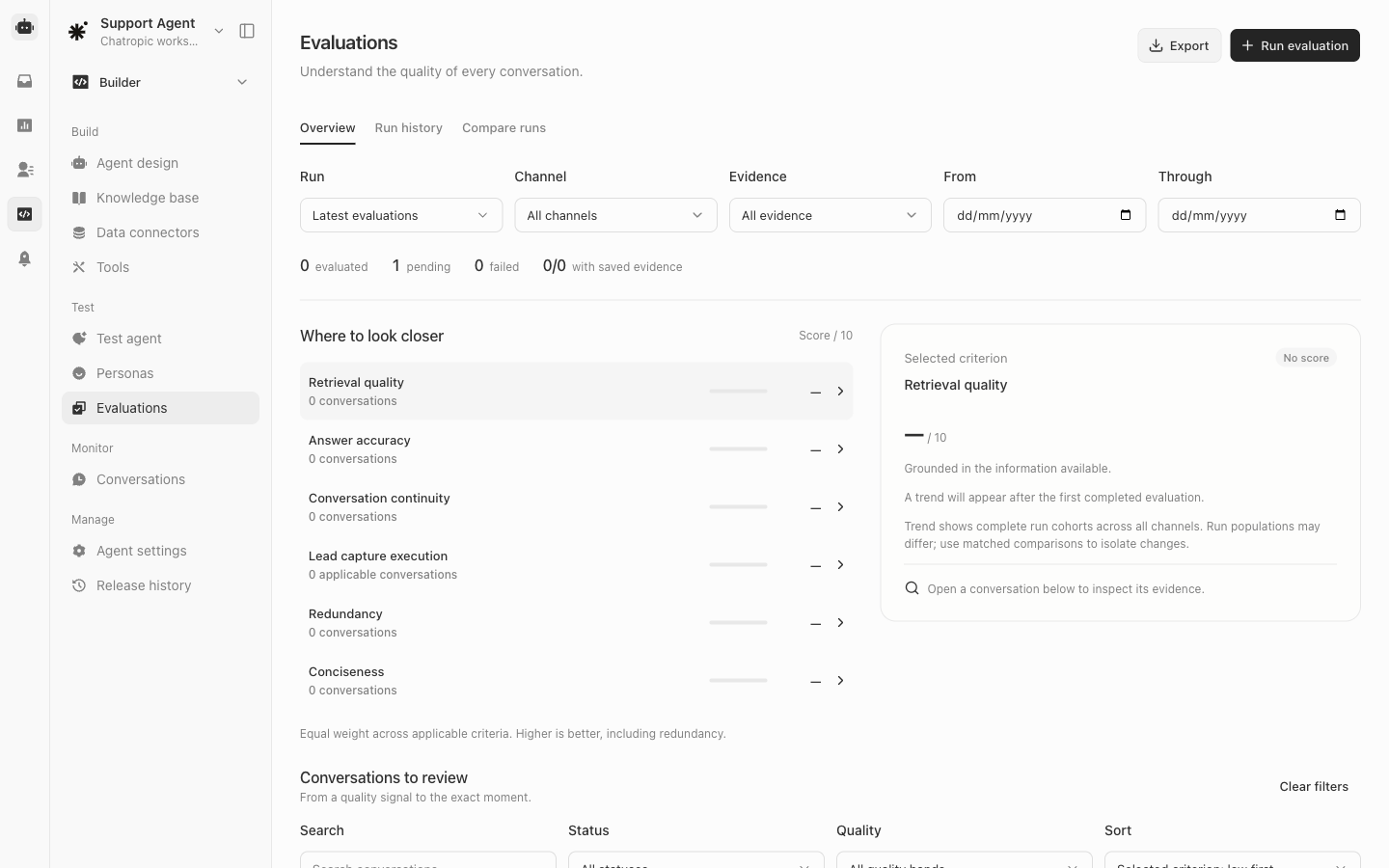
Evaluation overview before the first completed result.
Choose a run, channel, evidence filter, and date range. The overview tracks evaluated, pending, and failed conversations and scores six criteria: retrieval quality, answer accuracy, conversation continuity, lead capture execution, redundancy, and conciseness. Higher scores are better, including redundancy; only applicable criteria contribute to the overall score.Select a criterion and open a conversation under Conversations to review to inspect its evidence. No score or Pending means a completed result is not yet available. Use Run evaluation to start a quality check and Export for the available results. When comparing runs, use matched conversations where possible: different conversation populations can change aggregate scores.
Evaluations are Beta. Review failed transcripts and evidence before deciding that a change is ready for release.