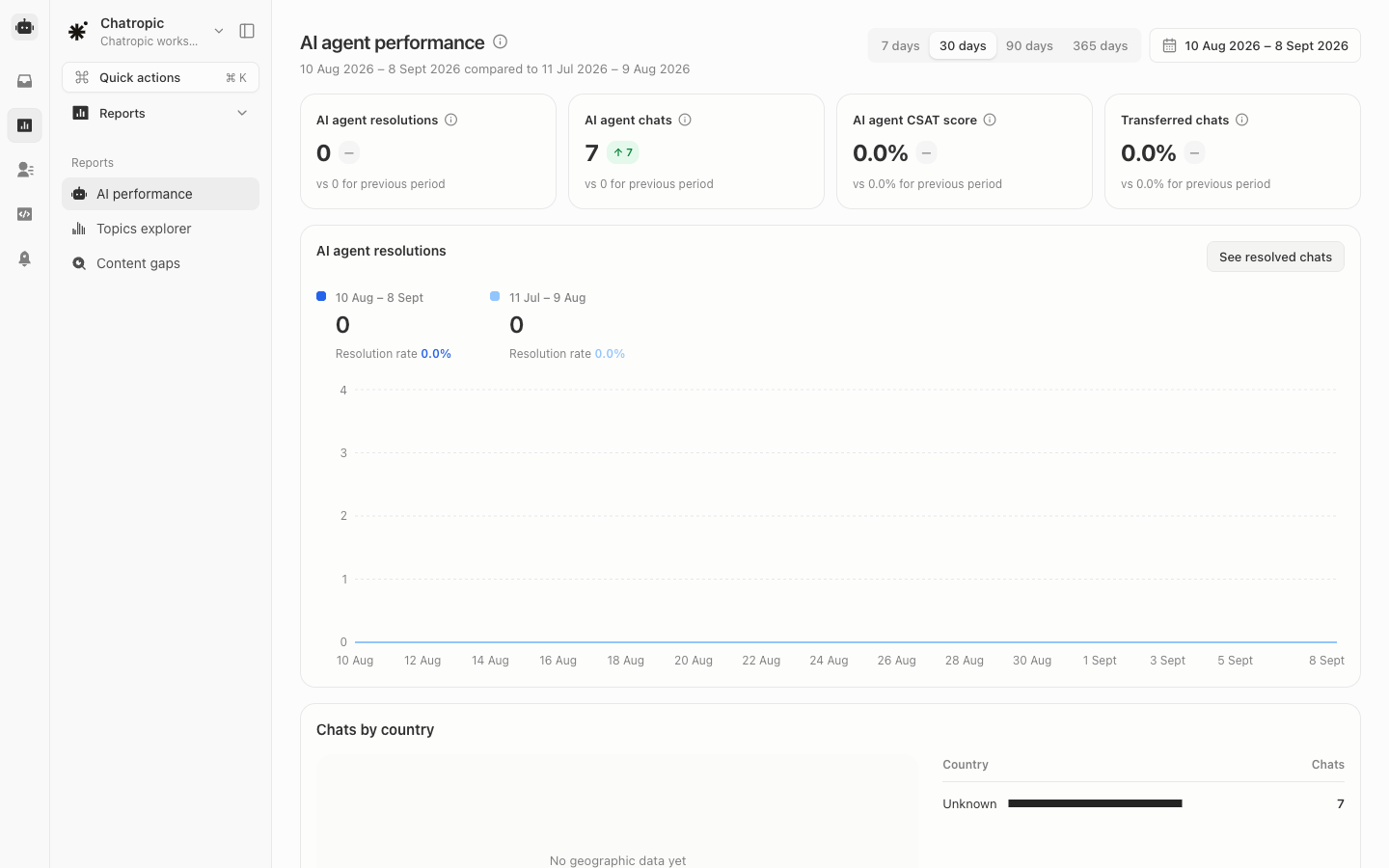
Open Analytics > Chats. This is the AI agent performance dashboard: the first place to look when you want to know whether the agent is actually resolving conversations, and whether that is trending up or down. Pick a date range at the top of the page. Every metric shows the current period against the previous one, so a change reads as a comparison rather than a bare number.

Headline metrics

Below the headline cards, the AI agent resolutions chart plots resolutions over time, with a See resolved chats link that jumps to the underlying conversations in Chat logs. Further down, breakdowns show where conversations come from by channel and by geography.

How to read it

  • Resolutions rising, transfers flat or falling is the healthy pattern: the agent is absorbing more volume without pushing more work to your team.
  • CSAT dropping while volume grows usually means new question types the knowledge base does not cover yet. Use the Topic Explorer to find them.
  • Transfers rising means escalation triggers are firing more. Check whether that is real customer frustration or over-eager keyword rules under Agent settings > Security.
Trends tell you that something changed. To find out why, drill into the conversations themselves.

Topic Explorer

What customers are actually asking about.

Conversation Evals

Score real conversations for quality.

Activity

Read the underlying transcripts.

Guardrails

Tune the escalation triggers behind transfer rates.